
Best Tools to Start an Online Business for Beginners (2026)
Disclosure: Some of the links in this post are affiliate links. This means I may earn a commission if you purchase through them, at no additional cost to you.
I only recommend services I personally use and believe can help beginners start their online business.
Now more than ever, people want to start an online business, but most people don’t know what tools they should use.
You don’t need expensive software or even a complicated setup to start an online business.
But using the wrong tools will waste your time, money, and energy.
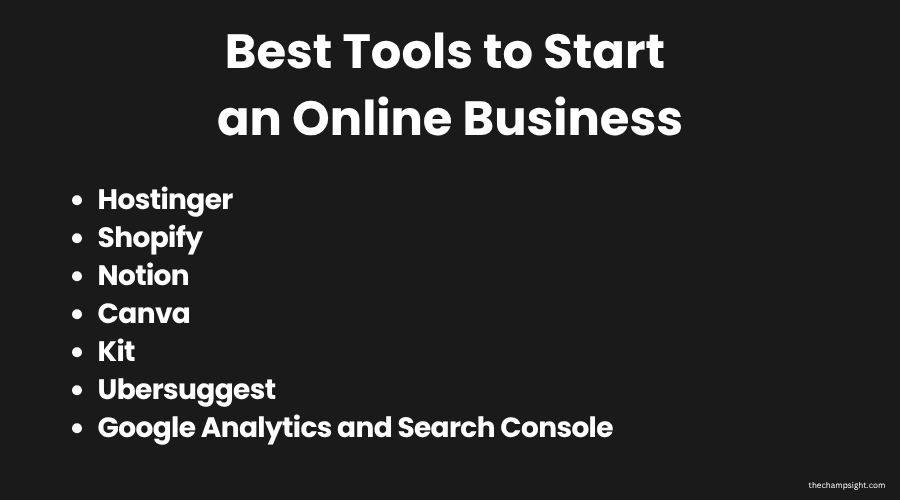
These are the best tools to start an online business for beginners, for you to be able to create a foundation that actually works.
I personally use all of these tools, and it’s what I recommend for anyone starting their online business from scratch in 2026.
All beginner-friendly, and most have free plans or affordable starting prices.

What to Look For In a Business Tool
Before spending any money on any tool, first ask yourself these questions:
Does it solve a problem I actually have right now?
Is it beginner-friendly? Is it affordable? Can it grow with my business as I’m scaling?
When starting, you should aim to spend as little as you can, and get the easiest software according to your skill level.
There’s no point in buying expensive and sophisticated software if you don’t even understand the data or how it works.
Start slower and as you grow, invest in better tools.
Also, I want you to remember that you don’t need every tool on this list from day one.
Start with what matches your business model and what’s actually needed for you to start.
Which Tools Do You Actually Need to Start
Website/Store Builder
Hostinger (WordPress):
Every online business needs a website.
Without a website, you’re building everything on rented land.
Whether you decide to use social media platforms or not, you shouldn’t depend on them forever.
Algorithms can change overnight, your account can be banned, or simply disappear overnight.
But your website is the one thing you actually own online.
If you’re deciding to launch a blog, I personally use and recommend Hostinger for anyone starting.
It’s the most beginner-friendly and affordable hosting available. You don’t need any technical experience.
The biggest advantage is getting managed hosting from WordPress.
You can even create your own website using AI.
If your goal is to start a blog, build a personal brand, or even create an online presence for your business, Hostinger is my best recommendation.
Best for: Bloggers, freelancers, and anyone who needs a Website
Price: $2,99/month
Ready to Start Your Blog?
Launch your blog today with my exclusive 20% discount.
No extra cost to you. I may earn a small commission.
Shopify
If your goal is to do e-commerce, Shopify is the easiest way to get your store live without technical experience.
You don’t need to know how to code, or even to hire a developer.
Shopify offers free templates for you to pick, and you can change anything you want depending on your niche.
One of Shopify‘s biggest advantages is the way they handle everything.
From payments, inventory, and shipping to integrations and even discount codes.
You can also add APPs to your store, so it becomes easier for you, simpler, and more engaging for your customers.
It’s also the most trusted e-commerce platform in the world. Most people you see online doing e-commerce use Shopify.
Best for: Anyone selling physical or digital products online.
Price: $1 for the first month, then $29/month
Ready to Start Your E-Commerce Store?
Launch your store today for $1 first month
No extra cost to you. I may earn a small commission.
Content Creation
Notion
When you’re building an online business alone, you need a place to keep everything organised.
When I was starting, I decided to put it all in a folder.
That didn’t work. After a month, I didn’t know where anything was because there were more than 100 pictures, videos, blog posts, ideas, and even drafts.
I started to use Notion to plan my ideas, blog posts, track my goals, and take research notes.
I have different folders for each category.
It’s completely free on the personal plan, and you also have a great AI support that helps you when you don’t know how to manage the software.
When you start to control everything you’ve already done, you won’t be asking yourself all the time if you already made something or not.
After building your social media and posting more than 50 posts, you’ll start to lose count of what you’ve already done.
Best for: Anyone who needs to stay organised while building.
Price: Free plan available.
Canva
You don’t need to be a designer to create professional graphics, images, or even videos.
Canva is a free design tool that lets you create everything you want.
You can create your logo, thumbnails, and social media posts.
I use Canva every day for every single image on this blog.
Every social media post I’ve ever made was with Canva. You’ll save a lot of time compared to any alternative.
Besides having free templates, you also have free AI images and Elementor Creator for you to have unique images.
The free plan covers everything a beginner needs.
As months passed, I decided to invest in a Canva Business plan because I could add my blog’s brand, so it became much easier to create content.
Best for: Bloggers, content creators, and anyone who needs visuals.
Price: Free plan available.
Email Marketing
Kit (former Convertkit)
Most beginners wait until they’ve seen some growth before starting their newsletter.
That’s their biggest mistake.
Even if it takes you 5 months before seeing an actual subscriber, start creating emails, lead magnets, and other ways to be ready for when you actually have 100 subscribers.
That’s why I use Kit.
Up to 10,000 subscribers, you won’t have to pay anything. And it’s perfect for those who are just starting.
Even though you won’t be able to use email sequences and advanced automations, you still can use landing pages and forms, including unlimited email sends.
And as your business scales, you can upgrade to a better plan, which will also help you to get more reach to your audience.
Best for: Bloggers, content creators, and e-commerce.
Price: Free plan available
SEO / Growth Tools
Ubersuggest
If you’re building a blog or any content-based business, you must realize what SEO is.
It’s what determines whether Google shows your content to people or buries it.
Even though it is still growing, I still use Ubersuggest as it is one of the most beginner-friendly SEO tools.
You have a free plan available, and as you grow, you can also upgrade your plan.
I always use it to research what keywords are the best and if it’s worth targeting.
Best for: Bloggers, Marketers, website users
Price: Free plan available
Analytics and Traffic Tools
Google Analytics and Search Console
These are the best free tools for analytics and traffic research.
Google Analytics helps you track your website visitors, showing how many people visit your site, where they come from, and what their behavior is on your website.
You can understand what’s actually working and what’s not, based on engagement time, bounce rate, and other concepts such as overall quality.
On the other hand, Google Search Console helps you track your performance on Google.
You can actually see what keywords are ranking and how many people see or interact with your content.
After publishing your first posts, you’ll be able to understand who is searching for those specific subjects, and based on that, you can do other posts in the same field.
While Google Analytics shows what happens on your site, Google Search Console helps you to see how people actually find you.
Most beginners ignore it simply because they don’t think it’s needed when starting.
But even with low traffic, you can understand what’s actually growing and what needs improvement.
Best for: Bloggers, Website owners, e-commerce store owners, anyone trying to rank on Google
Price: Free
If you want more insights about productivity, mindset and building an online business, consider joining my newsletter.
Common Mistakes Beginners Make

They Think They Need a Tool for Everything.
And then end up subscribing to 5 tools without even using them properly.
When deciding to buy a tool, be sure that it helps you to solve an immediate problem, not a future one.
Thinking That More Tools Equals More Results.
You may think that if you have every tool available, you’ll succeed. But that’s not true.
Tools don’t create success, consistency, and your skills do.
Learn how they work, and when you need another one to solve your problem, invest in it.
But keep in mind that most times, tools have a free plan that is more than enough when starting.
Ignoring Email Marketing
As I said earlier, most beginners think email marketing is only worth it when you already have traffic.
But that’s not true.
Focus on your content while also focusing on your email list.
Even if the algorithm changes, you’ll still have a valuable audience.
Keep in mind that 100 email subscribers have more value than 10,000 social media subscribers.
Overcomplicating Everything
Most people try to build the perfect setup from day one.
But that only leads to overwhelm.
You’ll feel tired and disappointed because of your results, not knowing that when you’re starting, depending on what your business model is, your progress is slow.
The simpler your setup, the more likely you are to stay consistent every day.
Choosing Tools Based on Hype
You saw some software on social media, and because of that, you decided to buy it.
After a week, you realized that it wasn’t meant for you.
Instead of choosing something because of how popular it is, choose tools based on your goals.
Just because a lot of people use it doesn’t mean it’s right for you.
How to Choose the Right Tools
You don’t need all eight from day one. You should choose them based on your business model:
Starting a blog: Hostinger + Canva + Kit. After some time, invest in Ubersuggest.
Starting an e-commerce store: Shopify + Canva. As you scale your business, add more tools.
Freelancing: Notion + Hostinger to develop a simple portfolio website.
Affiliate Marketing: Canva + Ubersuggest + Hostinger if you decide to launch a blog.
Final Thoughts
The best tool is always the one you actually use.
Don’t spend a lot of time researching software before you start.
Focus on creating content, pick tools that match your business model at this point, and learn them properly.
Every tool on this list has a free plan or an affordable entry point. There’s no excuse to wait.
Tools don’t make money, but execution does.
Get Weekly Insights on Business and Productivity
Related Posts