
How I Got Approved by Google AdSense After 7 Rejections
I applied for Google AdSense 7 times before getting approved.
Not because my content was bad. Not because my blog was too recent.
Because I was missing something so simple that I almost quit before I figured it out.
Here’s exactly what I did wrong so you can fix it and get approved faster than I did.
Why I Kept Getting Rejected
This is the part nobody actually talks about.
I had the content. I had the domain.
And I still got rejected.
The reason was simple. I was missing the required pages.
Google AdSense requires specific pages on your website before they will approve you.
Most of the time, it’s a bot that analyzes your website, and even if your content provides value and has quality, you can still be rejected.
I’ve seen people with the best SEO website you can imagine, well structured, with actually good content, being rejected over and over again.
What Google Actually Requires Before Approving You
If you’ve seen their eligibility requirements for AdSense, unique and interesting content is a must.
But there are also other specific details that you may miss if you don’t do your research right.
The Essential Pages You Need
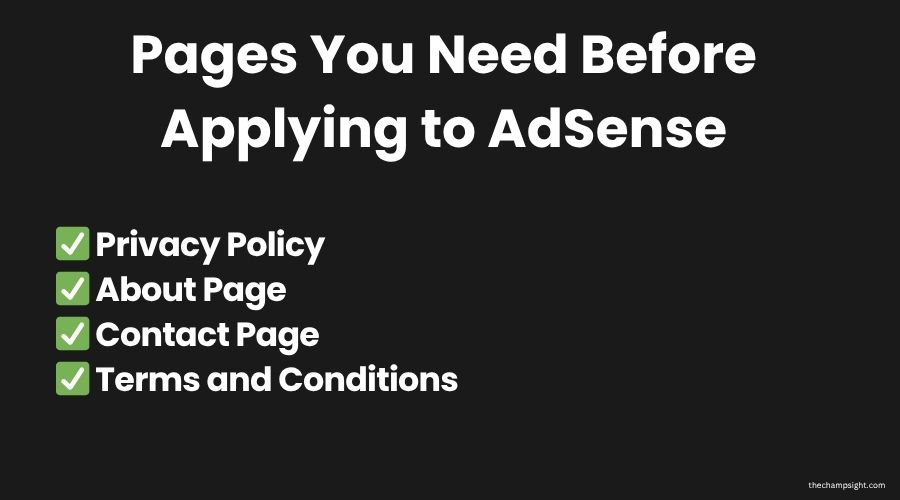
About Page
Google wants to know that there’s actually someone behind your blog.
You don’t need to show your face, but having an about page can help Google and your audience identify who you really are, what your blog is, and the reason for creation.
It doesn’t need to be long, and you also don’t need to write your life story, but make sure to write it genuinely.
Privacy Policy
This is the most important page, and the one most beginners skip.
Google requires every AdSense publisher to have a Privacy Policy that explains how you collect and use visitor data.
That also includes the data collected by AdSense itself.
You can generate a free Privacy Policy using tools like Termly
It takes 5 minutes, and it is a must if you want to be accepted.
Contact Page
A contact page shows Google that you’re legitimate and actually accessible.
You can write down a simple contact form for your audience to contact you whenever they want to, and it’s more than enough.
Terms and Conditions
Not strictly required by Google but strongly recommended.
When I was doing my research, I chose to have it because it adds another layer of legitimacy.
These four pages were what I was missing.
Even though I didn’t have any intention of having any of these pages when I was starting, it was a major problem for me.
The moment I added them to my website and reapplied, I got approved after two weeks.
What I Changed (The Turning Point)
After my seventh rejection, something clicked in my head.
I knew that if I got another rejection, I couldn’t apply for at least two months.
So I sat down and reviewed my website all day.
I decided to add those pages, improve my website speed and performance, including upgrading every image on every post.
Then I waited a couple of weeks, and I got accepted.
Most times, you already have the content quality and even the website, but you’re missing some small detail that makes all the difference.
Common Mistakes to Avoid
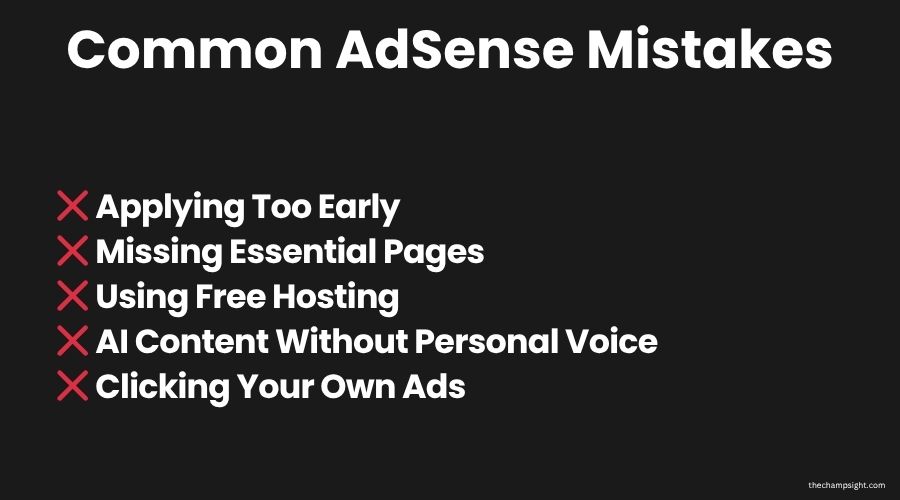
Based on my experience, there are some mistakes that you can avoid to be accepted faster.
Applying Too Early
The first time I got rejected, it was because of my lack of content.
I only had two to five posts and decided to apply immediately.
I thought it was easy to get accepted.
But the truth is that you need a couple of quality posts.
Wait until you have 10 to 15 posts and give your blog at least 2-3 months before applying.
Applying in the first month almost always results in rejection.
Missing Essential Pages
Like I stated earlier, missing essential pages is one of the most common mistakes people make when applying to AdSense.
Make sure to have “about”, “privacy policies”, and “contact” pages.
All three must be live and easily accessible.
I recommend that you link it to your footer menu, which is what worked for me.
Using Free Hosting
Even though it’s not mandatory, it’s highly recommended, primarily because of better SEO, credibility, and even professional branding.
Having a custom domain, such as .com, eases your process and makes your website more attractive to your audience.
If you’re starting your blog, you can get a free domain with your hosting plan using Hostinger.
AI-Generated Content Without Personal Voice
There are many rumours that you can’t get approved by AdSense if you’re using AI to write your posts.
That’s not true.
Even if you use AI, you can still get approved.
Make sure that you add your own personal voice to every post, because it will differentiate you and your content from other people.
If you try to get approved with 100% AI posts, that won’t work, especially without any difference from the millions of posts out there.
But the most important thing is to provide value with your own experience.
If you want more insights about productivity, mindset and building an online business, consider joining my newsletter.
What to Do If You Get Rejected
Don’t Apply Immediately Without Changing Anything
Before submitting your application again, take a good look at your whole website.
Go to Reddit communities and ask people to take a look at your website.
Watch videos and guides.
Submitting immediately right after being rejected won’t help you at all.
Read the Rejection Email
I know that the email can be confusing.
Google doesn’t actually tell you what’s wrong.
In my case, it only said “low value content”.
At first glance, you may think that your content is the cause.
But not having the essential pages can also be a factor for that message to appear.
Audit your content. Read through your posts and ask honestly if your content actually provides genuine value?
Is it original? Does it sound like a real person wrote it?
Wait Some Time Before Reapplying
I know the feeling of being rejected.
And I know the urge to apply again, and the self-doubt rejection causes you.
But if you really want to get accepted, wait a couple of weeks before submitting it again.
Check your whole website, from design to content, and when you feel like it’s ready, submit again.
I was rejected 7 times before finally cracking the code. It is incredibly frustrating, but failure is just part of the process.
I created a Free Checklist packed with motivation and essential tips to help you audit your site and keep pushing forward.
How Long Does AdSense Approval Take?
The official answer from Google is from 1 to 14 days.
If your website meets all requirements from the start, you can be approved in 24 to 48 hours.
In my case:
- My first application took less than a week
- My last one took more than 14 days.
It all depends on how many times you’ve applied and whether all the requirements are actually met.
The waiting is actually the hardest part. You keep checking your email every day until you’ve seen the verdict.
My advice is that you apply and then forget it. Keep working for Google to see that you are active.
Focus on traffic, SEO, and content quality.
How Long It Took Me
I started AdSense before I even focused on my blog.
My first post was last year. I was still learning and decided to post.
Then I learned about AdSense and decided to apply.
As you figured, I got rejected.
I didn’t like it, so I kept applying.
After my fourth attempt, I finally decided to really focus on my website.
I started publishing two posts every week, updating all my images, and adding essential pages.
On my seventh attempt, I finally got accepted.
To be completely honest with you, it wouldn’t matter if I got accepted on my first attempt.
I didn’t have the traffic to earn money.
Don’t Focus Too Much on AdSense Without Traffic
I knew I wouldn’t be able to get a considerable amount of money with AdSense, at least in my current state.
It wasn’t about money. It was proof I was doing something right.
And that’s why I got so excited about finally being accepted.
Mainly, when you’re building a blog, you’ll feel hopeless because it’s like no one is listening.
Accomplishing something like this may feel small, but for us who are actually willing to sacrifice hours for this, it’s crucial to have a taste of “success”.
Realistic AdSense Earnings for Beginners
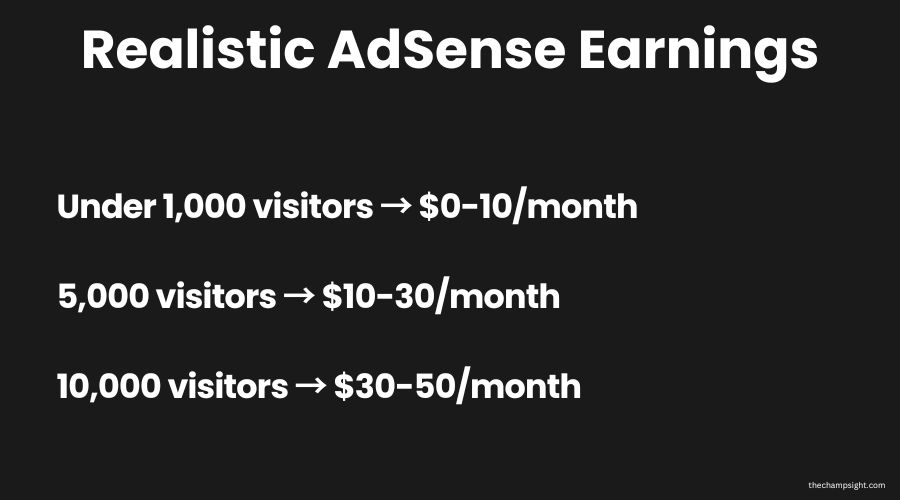
I want to be completely honest here because most people writing about AdSense inflate these numbers by a lot.
This is pure AdSense numbers, not talking about affiliate, subscriptions, or digital products.
If you’re under 1,000 monthly visitors, expect to earn from $0 to $10 per month.
At 5,000 monthly visitors, expect to earn $10 to $30 per month.
At 10,000 monthly visitors, the site earns $30 to $50 per month.
These values will always vary depending on your audience.
A USA audience has much more value than an Indian audience.
Don’t rely on AdSense alone if your goal is to make money, learn how to make money online with other options.
Treat AdSense as a signal that your blog is legitimate, but never as your primary income source.
Final Thoughts
Getting approved by AdSense after 7 rejections taught me so much about how Google actually works.
It’s much simpler than most people think, but they aren’t willing to actually do some research.
Before you apply, make sure that you already have your Privacy Policy, About page, Contact page, and Terms and Conditions.
Make sure they’re actually accessible from your footer or even navigation.
Even if you get rejected, don’t quit. Fix what’s missing and try again later.
Every rejection is just pointing you to what’s missing.
Get Weekly Insights on Business and Productivity
You May Also Like